
How to Install on Android
Follow these four pictures. Use the Chrome app. Open www.rapds.com/range/log first, then install.
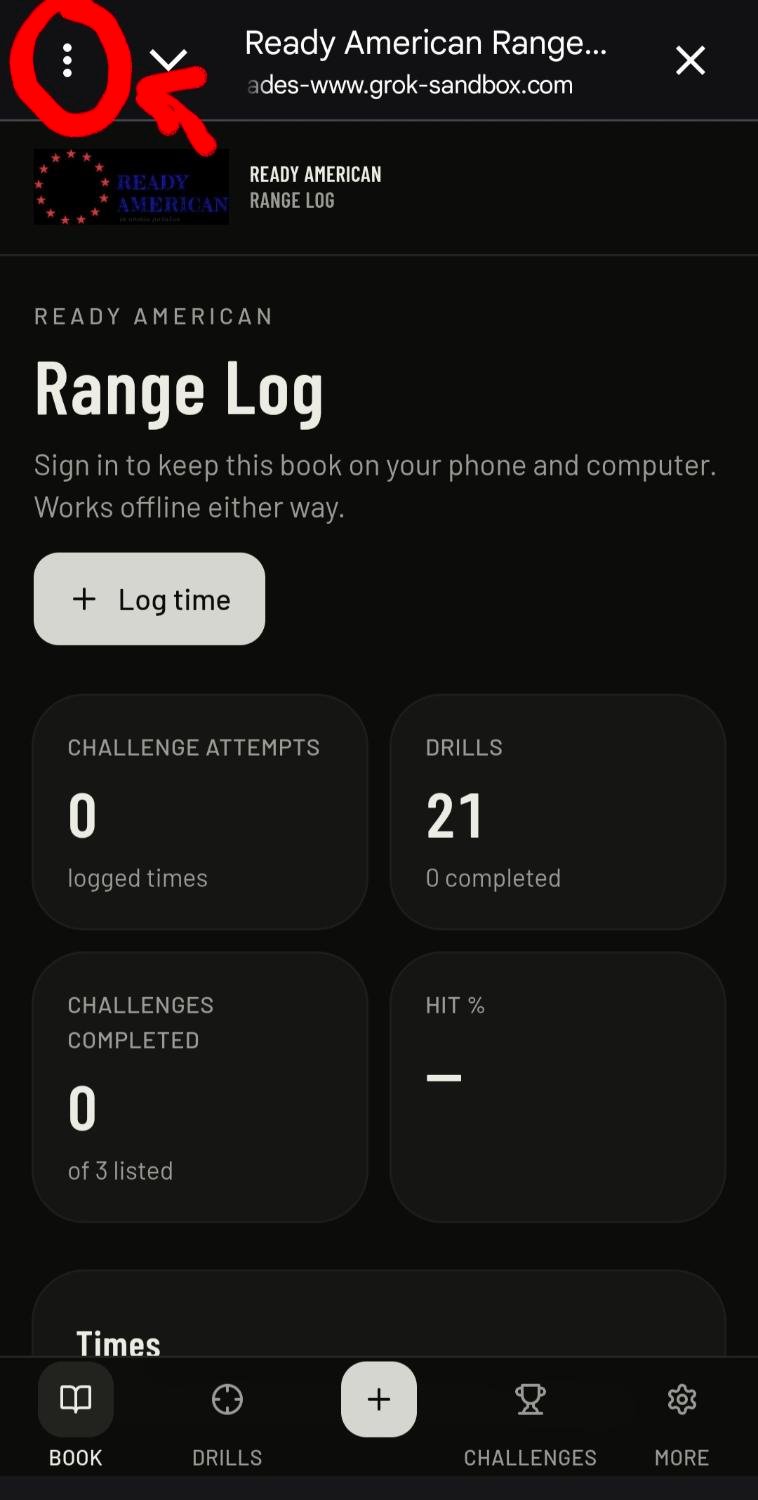
Step 1
Tap the three dots
Open the menu in the top-left (or top-right) of the screen.
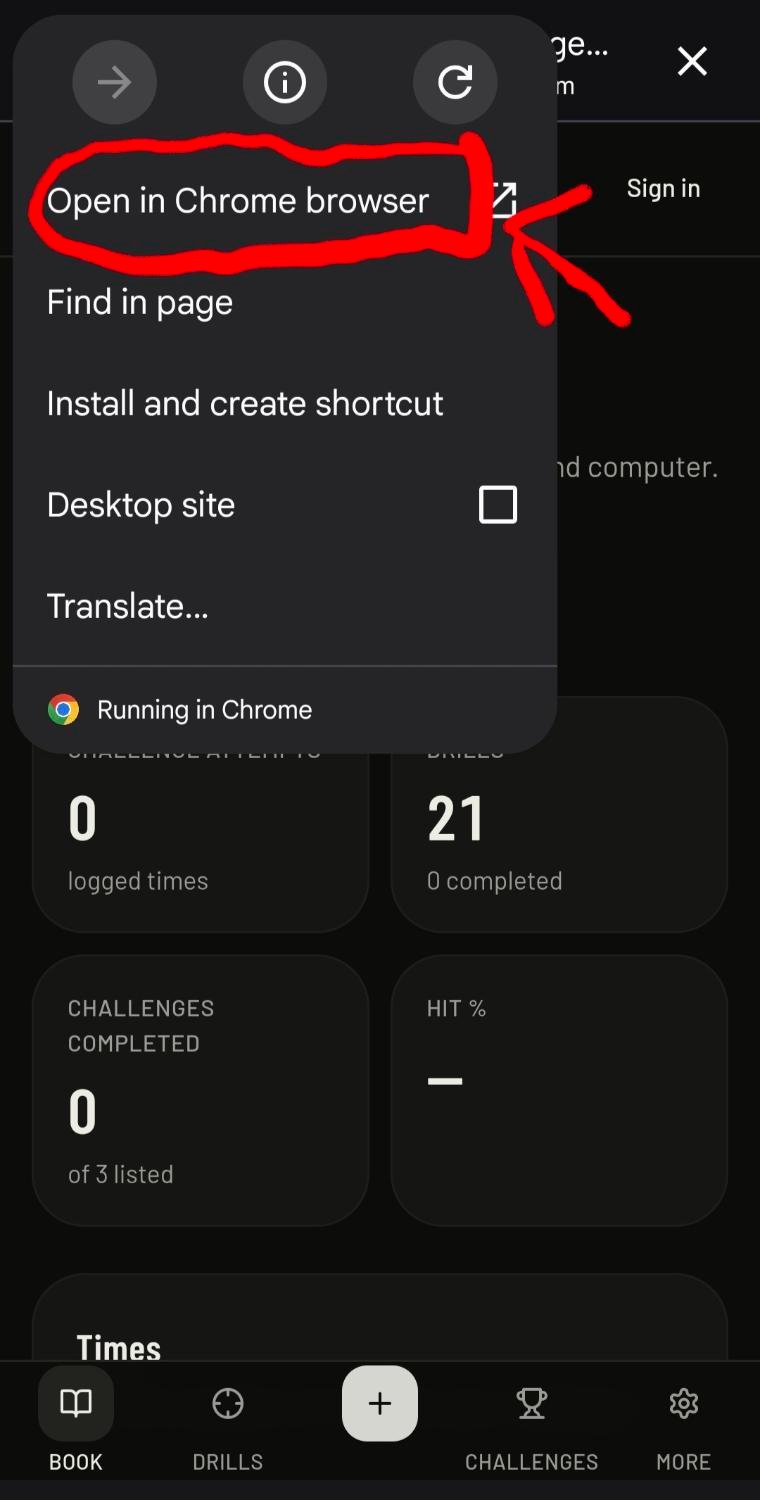
Step 2
Open in Chrome
Tap Open in Chrome browser. The install option only works in Chrome, not inside Instagram, Facebook, or a text preview.
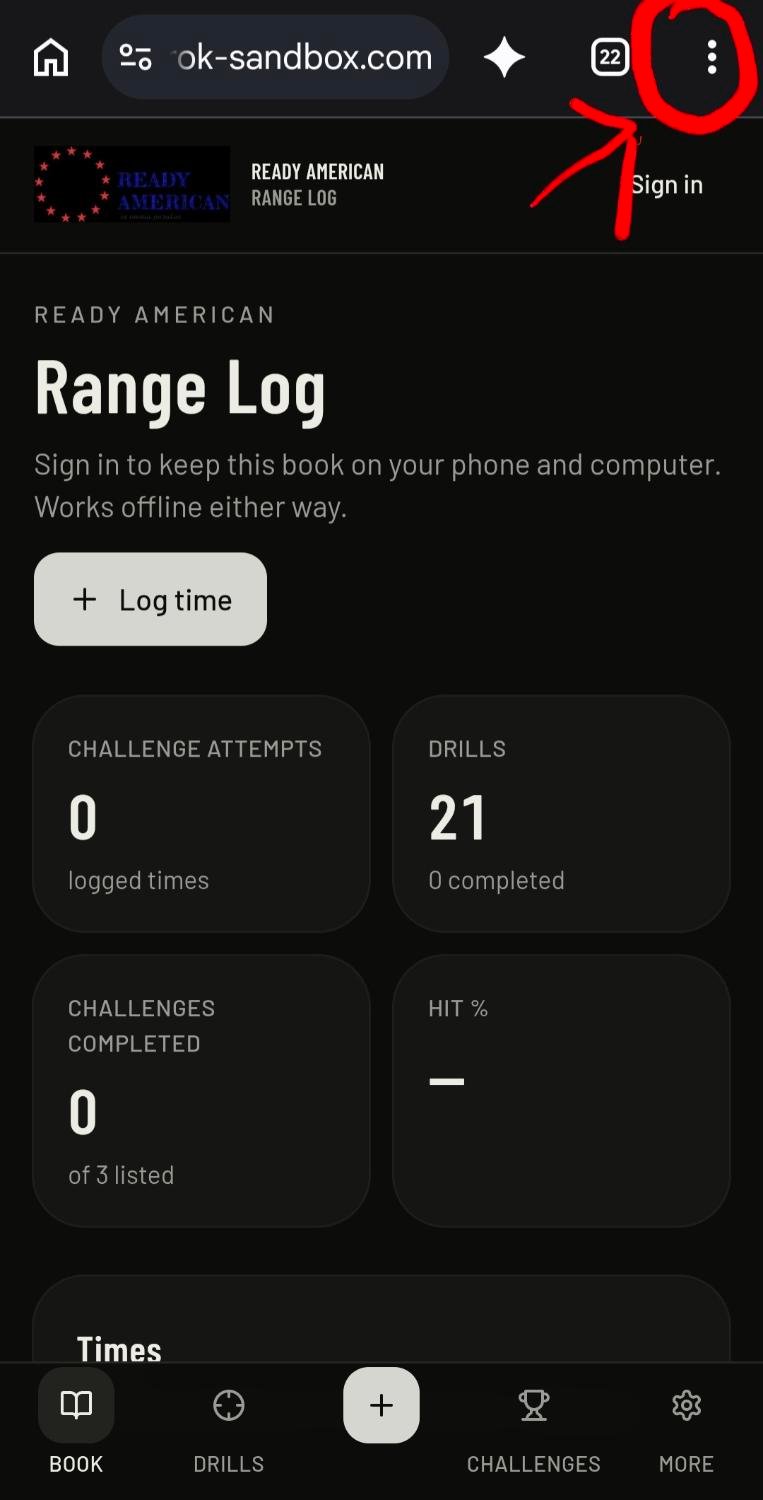
Step 3
Tap the three dots in Chrome
In the Chrome address bar, tap the three-dot menu in the top-right.
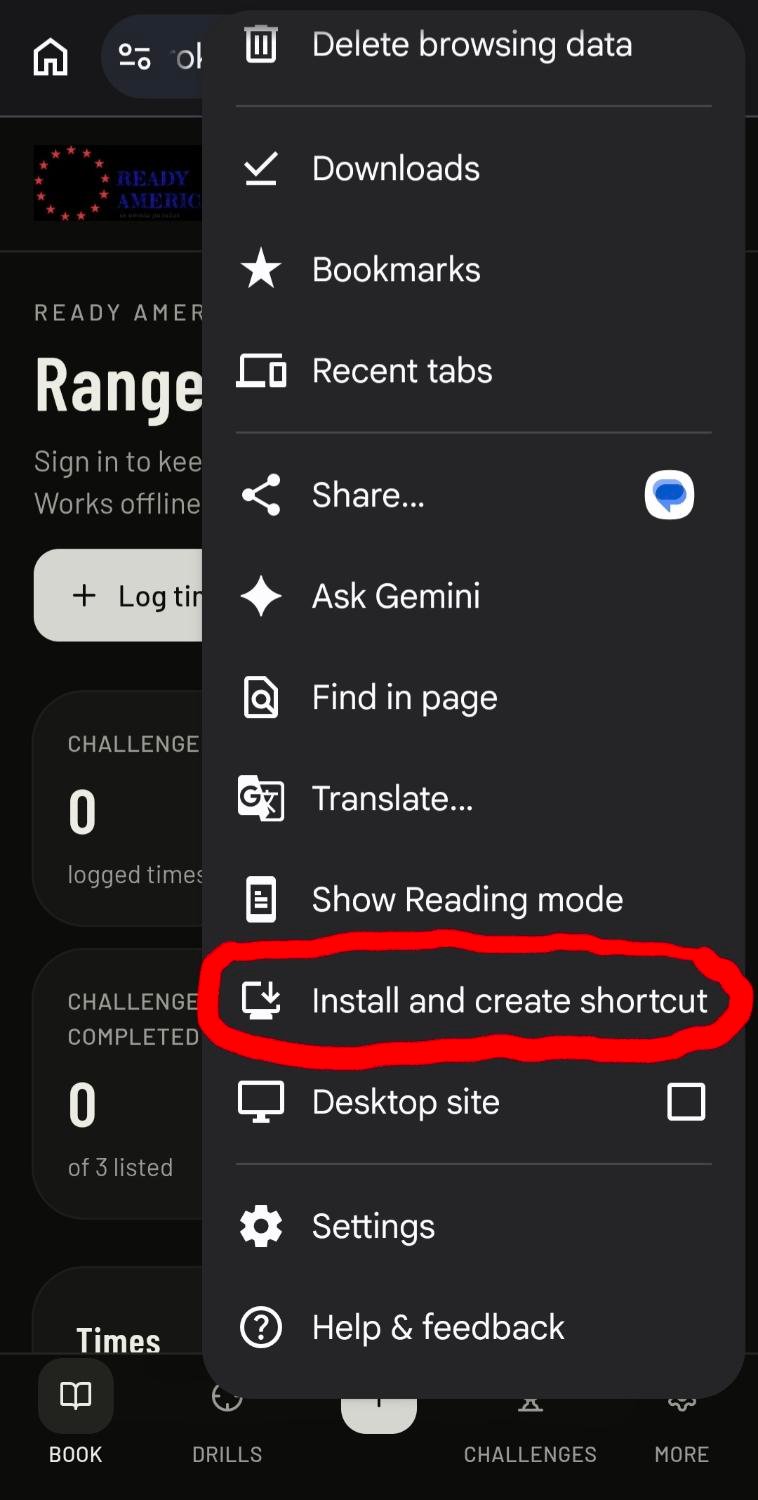
Step 4
Add to Home screen
Tap Add to Home screen (or Install app if you see that). Add to Home screen still works when Install / Download is grey.
It will not let you install
- Close this Grok chat. Open the real Chrome app (the Chrome icon).
- Paste www.rapds.com/range/log and go.
- Tap the three dots → Add to Home screen. Confirm.
- If that line is missing: phone Settings → Apps → Range Log or Ready American Range Log → Uninstall. Then Chrome → Settings → Site settings → www.rapds.com/range/log → Clear & reset. Close Chrome completely. Open the link again.